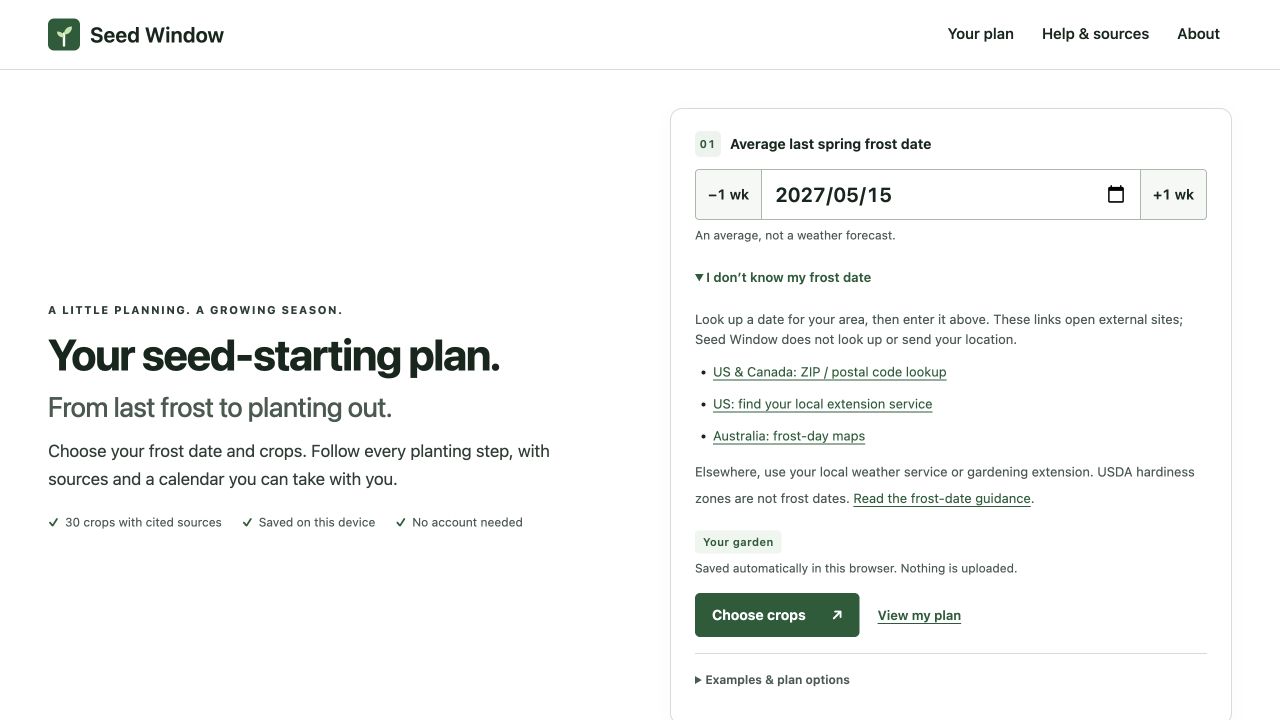
Use a local last spring frost date for a frost-based seed-starting calculation. A USDA hardiness-zone label describes a different climate measure; it cannot be converted into one reliable planting date.
The two labels answer different questions
The USDA Plant Hardiness Zone Map groups places by their average annual extreme minimum winter temperature. USDA describes it as a guide for perennial plant hardiness. That is useful for deciding whether a perennial is adapted to winter cold; it does not supply the spring date an annual vegetable should be transplanted.
| Information | What it helps answer | What it does not establish |
|---|---|---|
| Hardiness zone | How severe winter cold is in the zone system | A single safe transplant date |
| Historical spring frost date | A reference for spring scheduling | This year’s weather on that day |
| Current forecast and garden conditions | Whether a planned action is sensible now | An unchanging annual schedule |
A calendar with “zone 7” in its title may still need local date adjustments. Treat the zone label as context, not as a substitute input for the calculator. Do not invent a date by selecting a familiar holiday simply to make a required field accept something.
Record where your frost-date assumption came from
In the US, type your ZIP code into the calculator: it lists the three nearest NOAA weather stations with their 10%, 30%, 50% and 90% last-freeze dates from the 1991–2020 Climate Normals, with distance and elevation, and you choose the date and the risk. Outside the US, expand Outside the US, or want a second opinion? for the Almanac lookup (US and Canada) and extension and Australian frost-map links. Neither option uses your device location.
For a reproducible plan, record the place or weather station, the source, the date you looked it up and any probability threshold it supplies. The Almanac describes its frost dates as historical estimates using a 30% probability threshold. That is not a promise of no frost after the displayed date, and the same threshold should not be assumed for every other provider.
What does a seven-day uncertainty do?
We reran all 30 built-in crop rules for hypothetical frost inputs of May 8, May 15 and May 22, 2027. All populated action dates shifted by exactly the same seven days as the input. The model’s widths remained unchanged. This is a sensitivity check of arithmetic, not a calculation of frost probability.
| Frost input | Indoor sowing envelope | Planting-out window |
|---|---|---|
| May 8 | April 3–17 | May 15–22 |
| May 15 | April 10–24 | May 22–29 |
| May 22 | April 17–May 1 | May 29–June 5 |
The 90-row dataset includes the full comparison. A later assumed frost date makes the generated schedule later. It does not demonstrate that your frost risk has fallen from one percentage to another: Seed Window has no local probability distribution or live weather feed with which to make that claim.

When not to move the whole plan
Before sowing, the ±1 wk buttons are useful for comparing alternative assumptions. After sowing, treat them as scenarios, not a rewrite of the work already completed. If only one crop’s outdoor move is delayed, keep a crop-specific note or custom fixed-target row rather than changing the frost assumption for every crop.
There is also no guarantee that a plan suitable for a frosty spring describes a frost-free tropical season. The calculator works with the date you enter, but it does not model monsoons, extreme summer heat, day length or autumn frost. The date arithmetic can be correct while the seasonal model is a poor fit.
A short decision sequence
First, establish the local spring-frost reference. Second, calculate the crop-specific sowing and transplant windows. Third, check the actual weather, soil and plants before acting. Finally, reconcile hardening with the real transplant day. This separates an inspectable plan from a claim of certainty that no static calendar can provide.
About this report
Written by the team that builds Seed Window. Numerical examples use the published planner rules and hypothetical inputs. Interface screenshots were captured on 31 October 2026 with synthetic plans; the later Saved plans and backup controls are not shown. These are calculation and workflow checks, not crop-growing or yield trials; no independent horticultural review is claimed. Source links beside the relevant claims let you inspect their scope.
Reproduce the examples and inspect the evidenceMake the dates your own
Look up your NOAA frost date by ZIP code, choose only the crops you grow, and check the resulting task windows.
Find your frost date and plan →